Posts ·
What’s new in Shijro 3.0: your language, and a family that opens on its tree
Shijro 3.0 is out on Google Play. It speaks your language now, and a family opens on its tree.
Shijro in your language
The whole app is now in 19 languages: English, French, German, Spanish, Portuguese, Italian, Polish, Ukrainian, Russian, Turkish, Arabic, Persian, Urdu, Sindhi, Hindi, Bengali, Indonesian, Vietnamese and Thai. Spain and Portugal get their own words where they differ from Latin America and Brazil. Shijro follows your phone’s language, and you can pick another in Settings, under Language.
Relatives are named the way each language names them, so in Urdu your mother’s brother is your mamu and your father’s brother your chacha, rather than a translation of “uncle”. I wrote more about that in what do you call your mother’s brother, and about how the translation was done, and what went wrong, in translating Shijro into 19 languages.
Arabic, Persian, Urdu and Sindhi read right to left. The tree keeps its shape, with parents above and children below, and everything else in the app turns around.
A family opens on its tree
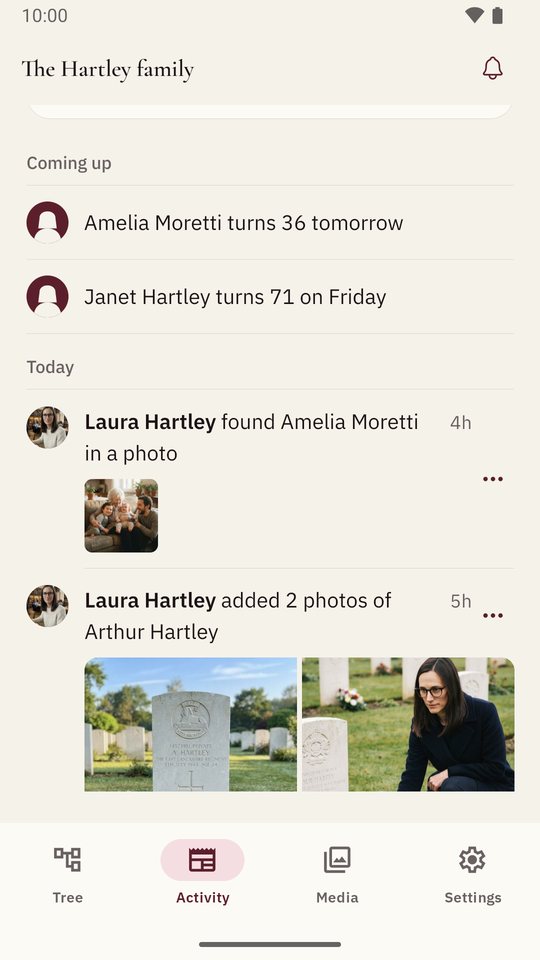
Opening a family now takes you straight to the tree. Activity is the next tab along, with everything relatives have added and the birthdays coming up. Notifications moved to a bell at the top of the family, with the unread count on it. Settings holds your account, your families and the rest.
If you are in more than one family, Shijro opens the one you had open last. Switching to another is in Settings.
A tree that is easier to read
Each person now has a colour, which fills the circle behind their initials and edges their card. A couple hangs from a small heart, so you can see who is married to whom even in a crowded generation. Your close family carry a word saying what they are to you, such as father, grandmother, cousin or son-in-law, and the tree opens on you.
Adding someone from the tree
Tap anyone on the tree and their card offers a parent, a partner, a child or a brother or sister. The form has two tabs at the top: a new person, or someone already in the family, picked from a list. When you save, you come back to the tree with the new relative in the middle and their card open, so you can carry on adding outward from them.
A shorter start
A new account starts on a short welcome: start your family tree, or join one a relative started with a link or a code. Starting a tree is two steps, you and then your parents and grandparents, and either can be put off until later. If you joined someone else’s family, Shijro asks which person in it you are first, and goes straight in once you’ve said.
Answering a question needs no app
When you ask a relative a question, you send them a link. They open it, and answer by talking. They don’t need Shijro or an account.
Every change in this release, and in every earlier one, is in the changelog.