Features · Stories in their own voice
Record family stories in their own voices
Record a relative telling a story and keep it on their page, with the words written out as they speak.
Try it free on Google PlayAndroid now, iPhone coming. Updated 19 October 2026.
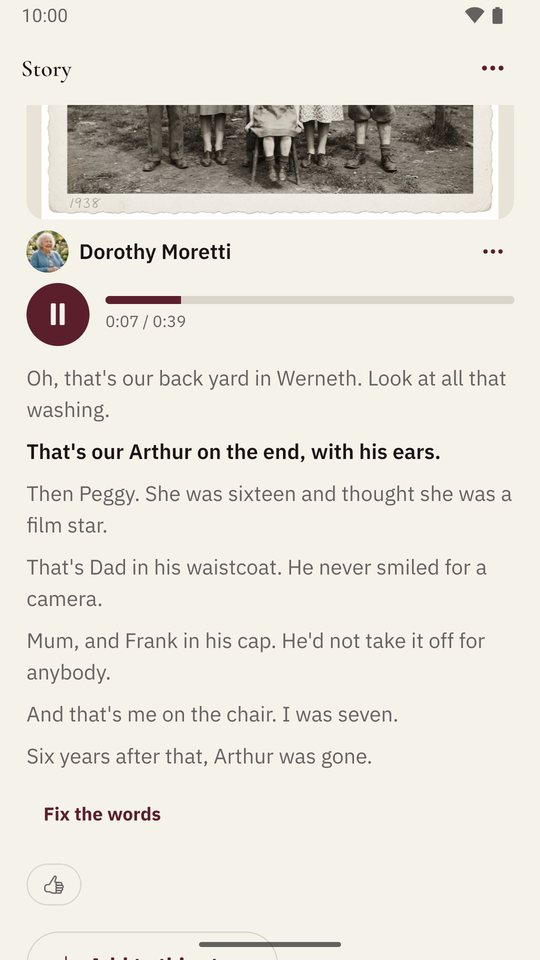
To record a family story in Shijro, open a relative’s page, start a story, and press record while they talk. Shijro saves the recording on their page, writes out every word, and highlights the words as the recording plays. You can also type a story, or add the photos it is about.
Why stories are recorded
I made recording the main way to tell a story because a written summary loses most of it: the pauses, the laugh before the punchline, the way a name was said. A family tree can tell you that Frank Hartley was born in 1925. When his granddaughter Laura describes his workshop in her own voice, you learn far more about him.
Three ways to tell a story
You can record it. Press record and talk, or hand the phone to whoever remembers. A story can be about anyone in the tree, living or not.
You can write it. Typing works for the stories nobody is left to tell out loud.
You can add photos to it. If you talk over an old photo, the recording stays with that photo, so whoever opens it later hears the story behind it.
Give the story a rough date, even just a year. Shijro suggests a title from what was said, and you can change it.
Reading along while they speak
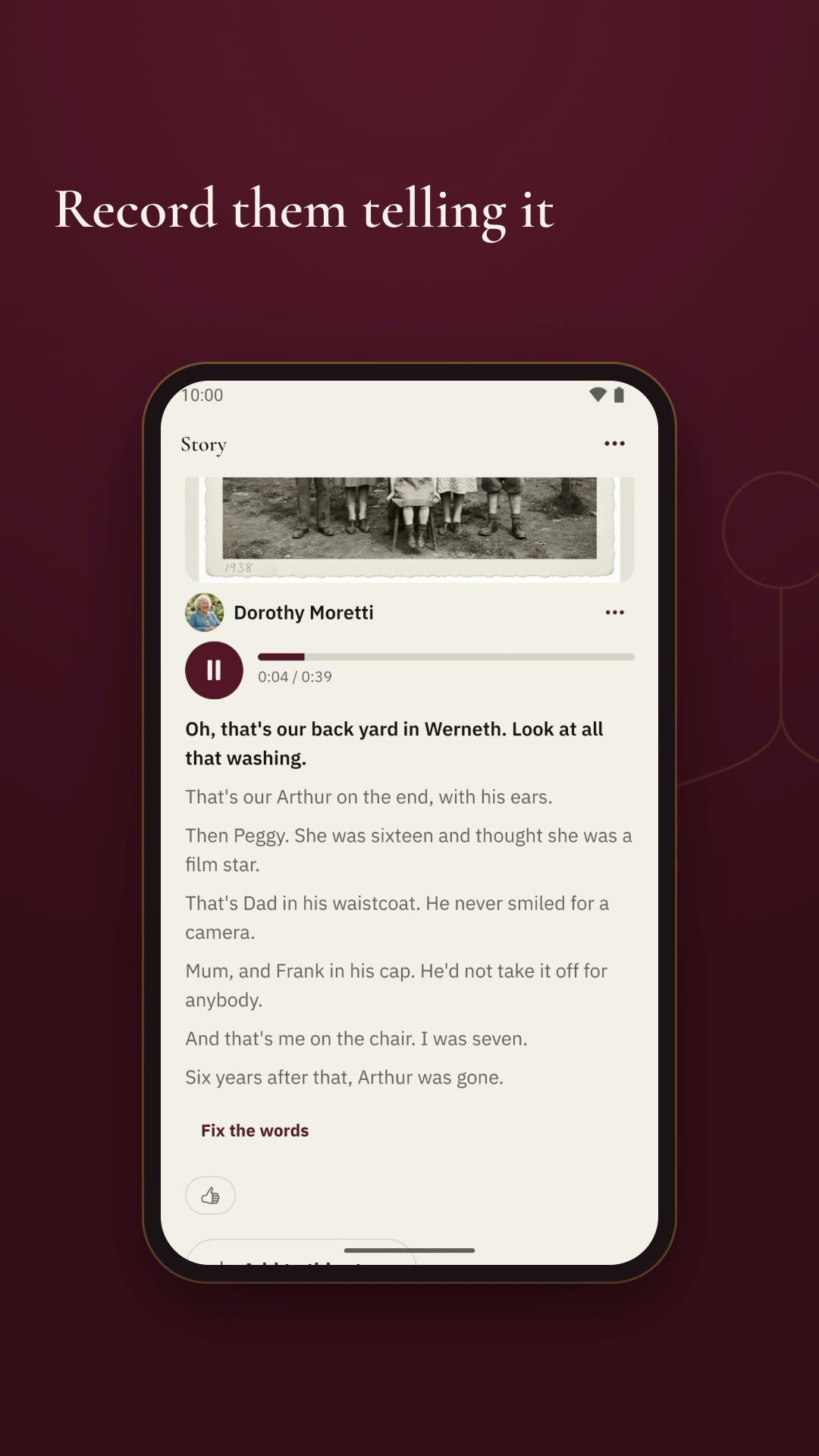
Every recording is written out, and when it plays the words follow the voice, a line at a time. This lets you jump to the part you want, and helps anyone who finds an elderly voice or an accent hard to follow. AI sometimes gets family names wrong, so anyone in the family can correct a word.
Where the stories end up
Each story is placed on the page of the person it is about, in order between the day they were born, the day they married and the children who came after. Recordings in that person’s own voice are grouped under “In their words”. Relatives can like a story, and whoever shared it gets a notification.
If you’re not sure what to ask first, start with these questions to ask your grandparents.
Watch it in under a minute
Questions people ask
Do I need a microphone?
No. The phone's own microphone is enough. Sit close, somewhere quiet, and let them talk.
Can I record a relative who does not have the app?
Yes. Record them on your own phone, or send them a question as a link and they answer by talking, with nothing to install.
Are the words written out automatically?
Yes. Every recording is written out by AI in the language it was spoken in, and anyone in the family can fix a word or a name it got wrong.
Who can hear the recordings?
Only the people in your family on Shijro. A family is private to the people invited to it.